What "8K IPTV Streaming" Actually Means
The term "8K IPTV" is used in two distinct ways, and understanding the difference matters if you want accurate expectations about the picture quality you will actually see.
The first use refers to the maximum resolution the service infrastructure can handle. A provider that describes itself as 8K-ready has built its server architecture and codec pipeline to support 8K video streams — meaning that when 8K source content exists, it can be delivered without the service artificially capping resolution to save server bandwidth.
The second use — often found in misleading marketing — implies that every channel streams in 8K, regardless of source quality. This is not how IPTV, or any video streaming technology, works. Resolution is determined by the original broadcast source, not the delivery infrastructure alone.
At IPTVStream8K, "8K" refers to the first definition: our servers use H.265 (HEVC) encoding and support streams up to 8K resolution where that source quality exists. Most live television content in 2026 is produced in HD or 4K. A growing number of productions — particularly in sports and cinematic content — are being broadcast in 4K. Native 8K live broadcasts exist but remain comparatively uncommon. What you gain from an 8K-ready service is future-readiness and, critically, efficient high-quality encoding at every resolution level.
Video Resolution Explained: From HD to 8K
Resolution is measured in pixels — the individual points of colour that make up the picture on your screen. Higher resolution means more pixels, which means finer detail, sharper edges, and a picture that holds up at larger screen sizes without looking soft or pixelated.
The resolution ladder
Standard HD (720p) contains approximately 921,000 pixels. Full HD (1080p) quadruples that to around 2 million. 4K Ultra HD contains roughly 8.3 million pixels — four times the information of 1080p. 8K takes that further still, to approximately 33 million pixels — sixteen times the pixel count of Full HD.
In practical terms, the perceptible difference between resolutions depends heavily on screen size and viewing distance. On a 55-inch screen viewed from a typical sofa distance, the difference between 1080p and 4K is visible but modest. On an 85-inch screen at the same distance, the difference is more pronounced. 8K resolution becomes perceptible on very large screens — typically 75 inches and above — viewed at closer distances than typical TV viewing.
Why resolution is only part of the picture
Resolution describes pixel count, but what you actually see on screen is also affected by colour depth, dynamic range, frame rate, and encoding quality. A well-encoded 4K stream with HDR10 will often look more impressive than a poorly encoded 4K stream with the same raw pixel count, because the colour and brightness information is preserved more accurately during compression.
- 720p HD — solid for screens up to 40 inches
- 1080p Full HD — the current standard for most live broadcasts
- 4K Ultra HD — available for selected live and on-demand content
- 8K — emerging in broadcast, highly perceptible on 75"+ screens
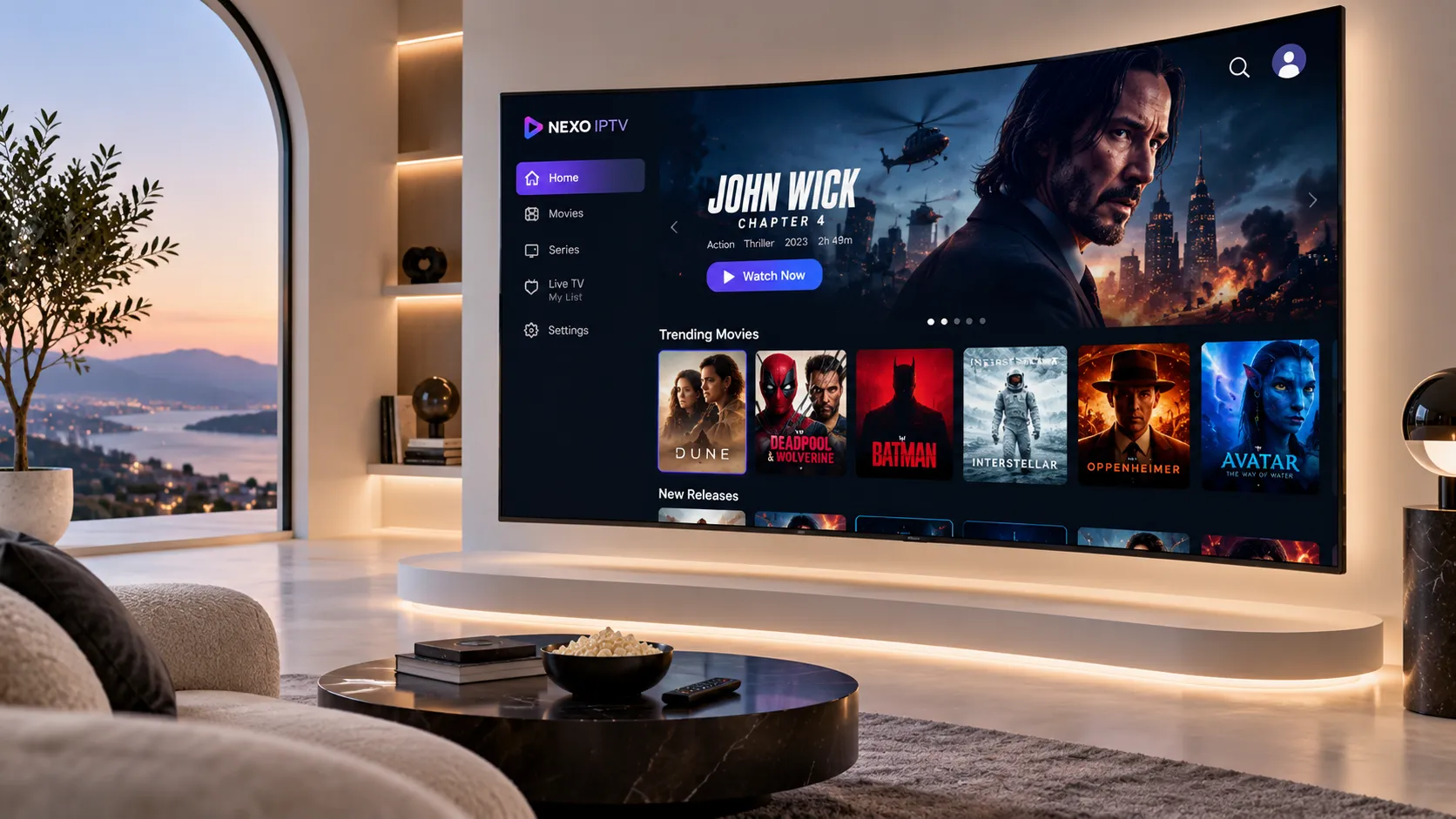
H.265, H.266, and Why the Codec Matters as Much as Resolution
The codec — the algorithm used to compress and decompress video — is one of the most important factors in IPTV stream quality, yet it is rarely discussed in consumer-facing marketing. Understanding it helps explain why two streams at the same stated resolution can look very different, and why 4K over a modern codec can be more practically achievable than 4K over an older one.
The codec that made internet video practical. Still widely used, but requires roughly twice the bitrate of H.265 to achieve equivalent visual quality. A Full HD H.264 stream typically needs 8–10 Mbps. 4K in H.264 requires 25–40 Mbps — a significant burden on most home connections.
Achieves the same visual quality as H.264 at approximately half the bitrate. Full HD streams require around 4–6 Mbps. 4K streams need 15–20 Mbps. This efficiency makes high-resolution IPTV practical on typical home broadband. Our servers use H.265 as the primary encoding standard.
The successor to H.265, offering another 50% efficiency gain. A 4K stream in H.266 requires around 7–10 Mbps. 8K streams become practical at 20–25 Mbps. Hardware support is still rolling out across devices and smart TVs as of 2026, but H.266 represents the direction of travel for future ultra-HD broadcasting.
An open, royalty-free codec developed by the Alliance for Open Media and backed by Google, Netflix, and Apple. Comparable to H.265 in efficiency, with slightly better performance at lower bitrates. Increasingly supported on newer Android TV boxes and Smart TVs. IPTV adoption is growing but H.265 remains the dominant standard for live streams.
The practical consequence of codec efficiency is significant. IPTVStream8K's H.265-based infrastructure means that 4K streams are accessible to viewers with standard broadband speeds — a 25 Mbps connection handles 4K H.265 comfortably, whereas it would struggle with 4K H.264. For 8K content as it becomes more available, H.265 makes it achievable on fibre connections rather than requiring dedicated gigabit lines.
HDR: High Dynamic Range and What It Adds to the Picture
High Dynamic Range (HDR) is often mentioned alongside 4K and 8K but is a distinct attribute of video content. HDR expands the range of brightness and colour that the video signal encodes, allowing compatible displays to show deeper blacks, brighter highlights, and a wider palette of colours than standard dynamic range (SDR) content.
The perceptual impact of HDR on a compatible television is often more immediately noticeable than the jump from 1080p to 4K resolution — particularly in high-contrast scenes such as a bright sky, a floodlit pitch at night, or a fire in a dark room. The difference in colour depth between SDR and HDR is visible at normal viewing distances on screens as small as 50 inches.
HDR formats in IPTV
Several HDR formats are in use across broadcast and streaming. The most common you will encounter in IPTV are:
- HDR10 — the baseline open standard, supported by virtually all HDR televisions. Uses static metadata — one set of brightness parameters applied to the entire video file.
- HLG (Hybrid Log-Gamma) — specifically designed for live broadcast, developed jointly by the BBC and NHK. HLG is backward-compatible with SDR displays, making it practical for live television distribution. Most live 4K sports broadcasts use HLG.
- HDR10+ — an extension of HDR10 with dynamic metadata, adjusting brightness parameters scene by scene. Supported by Samsung and other manufacturers.
- Dolby Vision — a proprietary format with dynamic metadata and the highest peak brightness specifications. Common in on-demand streaming (Netflix, Disney+) but less prevalent in live IPTV due to licensing costs.
When an IPTV stream carries HDR metadata and your television supports that format, the display processes it automatically. You do not need to configure anything — the TV detects the HDR signal and adjusts its picture processing accordingly. If your TV does not support HDR, it will display the stream in SDR, which still looks fine — you simply do not see the expanded dynamic range.
Bandwidth Requirements for Every Resolution
The internet speed needed for reliable IPTV streaming depends on the resolution of the stream, the codec used, and whether multiple devices on your network are simultaneously active. The figures below assume H.265 encoding — the standard used by IPTVStream8K — and a single active stream.
| Resolution | Codec | Stream Bitrate | Min Connection | Recommended |
|---|---|---|---|---|
| SD (480p) | H.265 | 1–2 Mbps | 3 Mbps | 5 Mbps |
| HD (720p) | H.265 | 2–4 Mbps | 5 Mbps | 8 Mbps |
| Full HD (1080p) | H.265 | 4–6 Mbps | 8 Mbps | 15 Mbps |
| 4K Ultra HD | H.265 | 15–20 Mbps | 25 Mbps | 35 Mbps |
| 8K Ultra HD | H.265 | 35–50 Mbps | 50 Mbps | 80 Mbps |
These are per-stream figures. If two 4K streams run simultaneously on the same network — two people watching in different rooms — double the bandwidth is required. For households with multiple simultaneous viewers, a connection of 100 Mbps or above provides comfortable headroom.
Equally important is the stability of the connection. A connection that averages 50 Mbps but drops to 10 Mbps during periods of congestion will produce buffering on 4K streams, even though the average speed appears adequate. A consistently stable 25 Mbps connection is preferable for 4K viewing over an unstable 50 Mbps connection that peaks and troughs.
Which Devices Support 4K and 8K IPTV Playback
Hardware decoding capability determines whether your streaming device can play high-resolution streams smoothly. Software decoding — where the device's CPU processes the video rather than dedicated video hardware — places far more strain on the processor and results in poor performance or overheating on streams above 1080p.
What to look for in a streaming device
For 4K H.265 playback, the device needs an SoC (system-on-chip) with a dedicated H.265 hardware decoder. Most devices sold since 2020 meet this requirement. For 8K H.265 playback, only a smaller subset of high-end devices — primarily dedicated Android TV boxes with Amlogic S928X or equivalent chips, and current Samsung and LG Smart TVs with 8K panels — can hardware-decode 8K H.265 streams. The full device setup guide covers recommended models and configuration for each platform.
The role of the IPTV player app
Even a capable device can play 4K and 8K poorly if the IPTV player app does not use the device's hardware decoder correctly. Apps that default to software decoding waste the device's capabilities. In TiviMate, ExoPlayer, and most mature IPTV players, hardware decoding is enabled either by default or through a single setting. Confirming this is enabled is an important step after initial setup.

Hardware H.265 4K decoding. Excellent for 4K streams. No native 8K support — output limited to 4K.
Amlogic S928X or MediaTek MT9950 chips support H.265 8K hardware decoding. Best platform for 8K IPTV.
Built-in 8K IPTV app support via Tizen. Handles 8K H.265 natively. Requires compatible IPTV player from Samsung Store.
webOS supports IPTV apps. 4K models handle 4K H.265 well. 8K panels support 8K IPTV decoding.
A15 chip handles 4K H.265 smoothly. No 8K HDMI output. Excellent 4K HDR playback with compatible IPTV apps.
Most capable Android TV box for 4K IPTV. Strong H.265 hardware decoding and AI upscaling. 8K output depends on source content.
Source Quality: The Factor Most Discussions Overlook
Every discussion of 8K IPTV eventually returns to the same fundamental point: the source determines the ceiling. No delivery infrastructure, however capable, can add pixels to a signal that does not contain them. Understanding where broadcast content actually comes from and what resolution it is produced in clarifies expectations in a useful way.
How television content reaches your screen
A live sports broadcast begins with camera capture. Production-level cameras used for major sport in 2026 are predominantly 4K capable, with a growing number of productions using 8K camera systems — particularly for marquee events. The captured footage goes through a production chain: editing, graphics overlays, colour grading, and then encoding for broadcast distribution.
The encoded signal is then distributed to broadcast partners, satellite uplinks, cable headends, and streaming CDNs — including premium IPTV providers. At each stage, the signal is re-encoded, and each re-encoding is a potential point of quality loss if not handled carefully. Premium IPTV providers receive direct feeds where possible, minimising the number of re-encoding stages between the original source and your screen.
What this means in practice for 2026
In 2026, the realistic picture of broadcast resolutions for the UK, Irish, and US markets is approximately this: general entertainment and news channels continue to broadcast predominantly in 1080p Full HD. Premium sport channels — particularly those covering Premier League, Champions League, NFL, and major athletics — are broadcasting flagship matches in 4K with HLG HDR. 8K broadcasts exist for selected events, including some NFL games, certain Olympic content, and a small number of premium drama productions. The 8K catalogue is expanding meaningfully year on year.
This is why an 8K-ready infrastructure matters now, even if a large proportion of content is not yet 8K: the investment in codec capability and server bandwidth provides 4K streaming that is genuinely efficient and reliable today, with the architecture in place to handle 8K content naturally as it becomes more prevalent.
Message us on WhatsApp with your broadband speed and the devices you use. We will tell you exactly what quality tier is realistic for your setup and whether a trial makes sense.
Upscaling: What Happens When Source and Display Resolutions Don't Match
When a 1080p stream plays on a 4K television, the TV has to fill in the extra pixels. This process is called upscaling. The quality of upscaling varies significantly between televisions and is one area where higher-end models genuinely outperform budget sets.
Samsung's Neo Quantum Processor and LG's α (Alpha) processor series use AI-driven upscaling algorithms trained on large libraries of content to intelligently reconstruct detail rather than simply stretching pixels. The result — particularly on good-quality source content — can be impressively close to native resolution. Budget televisions use simpler upscaling algorithms that produce softer, occasionally artefact-heavy results.
Similarly, 4K content on an 8K television requires 4K-to-8K upscaling. The same principle applies: a good 8K upscaling processor with AI assistance handles this well; basic upscaling produces middling results.
The practical guidance is: a well-encoded 4K stream on a good 4K television will look excellent. A 4K stream upscaled to 8K on a premium 8K television will also look very good. The encoding quality of the source stream matters more to perceived picture quality than whether the displayed resolution exactly matches the screen's native resolution. This is why IPTVStream8K's focus on H.265 encoding efficiency matters — a clean, well-encoded stream upscales better than a degraded or heavily compressed one.
Optimising Your Setup for the Best Possible Picture
Assuming you have a suitable internet connection, there are several practical steps that meaningfully improve the picture quality you experience from an IPTV service.
1. Use a wired ethernet connection
As discussed in the bandwidth section, ethernet eliminates the signal variation and latency spikes that cause micro-buffering in Wi-Fi streams. For a device that sits close to your router — such as a TV stand setup where the router is in the same room or nearby — running a short ethernet cable is straightforward and makes an immediate difference to 4K stream stability.
2. Enable hardware decoding in your IPTV player
In TiviMate, go to Settings → Player → Decoder and confirm that hardware acceleration is enabled. In IPTV Smarters, ensure the ExoPlayer is selected as the default player. In other apps, look for a hardware decoding or hardware acceleration setting. Enabling it means your device's video chip, rather than its general CPU, handles the work of decoding the stream — resulting in smoother playback and lower device temperatures.
3. Calibrate your television's picture settings
Most televisions ship with overly aggressive picture processing enabled by default — excessive sharpening, motion smoothing, and noise reduction that can actually degrade the picture for content that is already well-encoded. For IPTV viewing, disabling motion smoothing (often called Soap Opera Effect or TruMotion) and reducing artificial sharpening typically improves image quality for film and drama content. Sports viewing sometimes benefits from smoother motion processing — it is a matter of preference.
4. Confirm HDR is active
Many televisions display an HDR indicator badge when an HDR signal is detected. Confirming this is visible during a 4K HDR stream ensures your display is correctly processing the wider colour and brightness information rather than treating the stream as SDR. If HDR is not activating, check that your streaming device's HDMI output is configured for HDR output in its display settings.
The IPTV troubleshooting guide covers additional configuration steps for resolving picture quality issues, including codec mismatch problems and EPG-related issues that can indirectly affect perceived quality.
The Standards Behind 8K: What SMPTE and ITU Define
8K video is not simply "very high resolution" by informal convention — it is defined by specific international standards. The International Telecommunication Union's ITU-R BT.2020 Recommendation defines the colour space, bit depth, and resolution parameters for ultra-high-definition television, including 8K (7680×4320 pixels at up to 120 frames per second). This standard governs how broadcasters, camera manufacturers, and display makers implement 8K capability in a way that is interoperable across equipment from different manufacturers. When an IPTV service describes itself as 8K-ready, conformance with BT.2020 is the underlying benchmark — it determines whether 8K content produced on one set of equipment will be correctly reproduced on another.
Honest Expectations: What You Will Actually See Day to Day
After covering the technical landscape in depth, it is worth being concrete about day-to-day experience for viewers who subscribe to an 8K-ready IPTV service in 2026.
If you have a 4K HDR television and a broadband connection of 25 Mbps or above: you will see genuine 4K HDR streams for the growing number of channels broadcasting in 4K — primarily premium sport and selected entertainment. Remaining channels will be delivered in Full HD 1080p, upscaled to 4K by your television. The picture quality difference between a well-encoded 1080p stream and a native 4K stream on a 55-inch television is real but not dramatic. On a 65–75 inch television, the difference is more pronounced and clearly visible.
If you have an 8K television and a connection of 50 Mbps or above: you will be well-positioned for the 8K content that exists, and your television's upscaling will handle 4K and 1080p sources. The picture on an 8K panel with good upscaling is impressive even on 1080p content, because the increased pixel density allows the AI upscaling algorithms more headroom to reconstruct detail.
If you have a 1080p television of any size: the maximum resolution you will see is Full HD, regardless of what the stream offers. A 4K or 8K stream will be downscaled to 1080p by your display. However, a well-encoded source stream — even one downscaled — can look noticeably better than a poorly encoded one at the same resolution, because more of the original image information is preserved during downscaling. This is still a meaningful quality benefit.
Go Deeper: Articles in the 8K Streaming Series
These companion pieces expand on specific aspects of resolution, device compatibility, and streaming quality covered in this guide.
A direct comparison of 4K and 8K IPTV — when the upgrade is meaningful, what hardware you need, and whether 8K content availability justifies the investment.
Which devices support 4K and 8K H.265 hardware decoding, how to configure your player app correctly, and step-by-step setup for every supported platform.
How subscription plans are structured, what a premium service includes, and how to evaluate options before committing.
How to fix buffering, codec mismatch problems, HDR not activating, and other common issues that affect 4K and 8K playback quality.
Frequently Asked Questions About 8K IPTV Streaming
Technical questions about resolution, bandwidth, codecs, and device compatibility answered directly.
A stable connection of 50 Mbps or above is recommended for 8K-ready streams using H.265 encoding. If multiple devices on your network are simultaneously active — family members streaming in other rooms, for example — a connection of 80–100 Mbps provides comfortable headroom. A wired ethernet connection from your router to your streaming device is strongly preferred over Wi-Fi for 8K playback, as it eliminates the signal variation that causes buffering.
No — and any provider claiming otherwise is not being accurate. Stream resolution is determined by the original broadcast source. Most live television in 2026 is produced in HD or Full HD. Premium sport is increasingly available in 4K. True native 8K broadcast content exists for selected events and productions, but remains a minority of the overall catalogue. What an 8K-ready IPTV service provides is the infrastructure to deliver these streams at their native quality without artificial caps, and efficient H.265 encoding at every resolution level.
H.265 (also called HEVC — High Efficiency Video Coding) is a video compression standard that achieves roughly twice the compression efficiency of H.264 at equivalent visual quality. For IPTV, this means a 4K stream in H.265 requires approximately 15–20 Mbps rather than the 30–40 Mbps an H.264 4K stream would need. This makes high-resolution IPTV practical on standard home broadband connections rather than requiring dedicated high-speed lines. IPTVStream8K uses H.265 as its primary encoding standard.
No. An 8K-ready IPTV service benefits viewers at every resolution level. On a 4K television, you receive genuine 4K streams for content broadcast in 4K, and efficient Full HD streams for standard content — both delivered via H.265 for superior picture quality compared to older-codec services. On an 8K television, you additionally receive native 8K streams where that content exists, and your TV's upscaling handles lower-resolution sources very effectively. The service adapts to your display's capability.
HDR (High Dynamic Range) expands the range of brightness and colour a video signal encodes. On a compatible display, HDR content shows deeper blacks, brighter highlights, and richer colours than standard dynamic range video. Many 4K IPTV streams carry HDR metadata — typically HLG (common in live sport) or HDR10 (common in on-demand content). When your television detects an HDR signal it can process, it activates automatically. If you have an HDR television, look for the HDR indicator badge when watching 4K content — if it appears, HDR is active. If not, check that your streaming device's HDMI output is configured for HDR in its display settings.
Native 8K hardware decoding in a streaming device requires a capable SoC. Android TV boxes with Amlogic S928X or comparable chips support H.265 8K hardware decoding and are the primary choice for 8K IPTV playback via a separate streaming box. Samsung and LG Smart TVs with 8K panels also support 8K IPTV via built-in apps. The Amazon Fire TV Stick 4K Max is excellent for 4K H.265 but does not output 8K. Apple TV 4K similarly handles 4K well but is limited to 4K output. Our device setup guide covers recommended devices in detail.
The Bottom Line on 8K IPTV Streaming
8K IPTV streaming in 2026 is a combination of genuine technical capability and honest expectation management. The infrastructure to deliver 8K streams efficiently exists. The broadband connections needed are available across UK, Irish, and US homes. The devices that can decode 8K H.265 are available and affordable. What is still catching up is the volume of native 8K broadcast content — and that is expanding measurably.
For most viewers right now, the primary practical benefit of subscribing to an 8K-ready service is excellent 4K streaming via efficient H.265 encoding, delivered reliably — with the infrastructure already in place to handle 8K content naturally as it becomes more prevalent in sport and entertainment broadcasting.
If you want to verify how the service performs on your specific setup — your television, your device, and your broadband connection — a trial is the most direct route to a confident answer.